
Godox Monitors
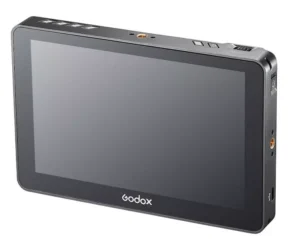
Godox monitors: real control of focus, exposure and color
Godox monitors are designed to help you accurately see what your camera is capturing, both in photos and videos. They’re a practical option if you need a larger screen than your camera body, more brightness for outdoor use, and time-saving tools on set. In this category, you’ll find Godox monitors for cameras and video rigs, from compact models for light use to more comprehensive options for demanding productions, with features like false color, waveform, zebra stripes, focus peaking, LUTs, and HDR modes, depending on the model.
What differentiates a Godox monitor from a camera screen?
Working with an external monitor isn’t just about seeing bigger. It’s about gaining control.
Precision to nail the focus
With tools like focus peaking or focus zoom, you can confirm sharpness even at very wide apertures and on high-resolution sensors. This is especially noticeable in interviews, events, or product photography, where even a small focus error can ruin the shot.
Quick visual measurement of exposure
Features such as waveform, histogram, zebra, or false color allow for consistent exposure adjustment, without relying solely on the internal light meter or the eye’s perception in changing conditions.
Color and consistency in production
In video, being able to load LUTs and see a preview that matches your final look helps you make decisions on the spot. This is useful in multi-camera shoots or when delivering material to a client and you need predictability.
How to choose your Godox monitor
Before choosing, it’s a good idea to decide how you’re going to use it and in what environment.
Size and weight according to your working style
For handheld or gimbal shooting, a lightweight and compact monitor is usually ideal. For tripods, narrative filming, or sets with a director and client, a larger screen size can make all the difference when reviewing details.
Exterior shine
If you’re filming outdoors or in locations with harsh lighting, prioritize a monitor with higher brightness. A higher brightness level reduces reflections and allows you to work without forcing shadows or overexposure because you can’t see the screen properly.
Connectivity and compatibility
Check if your signal is HDMI, SDI, or both. If you work with cinema cameras or in broadcast environments, SDI might be key. For most mirrorless and DSLR cameras, HDMI is usually sufficient.
Support tools you’ll actually use
Not all users need everything. If you work in product photography and lighting control, false color and waveform editing are very useful. If you shoot events, you might prioritize brightness, fast sharpening, and a responsive interface. If you work in storytelling, LUTs and compositing tools can be crucial.
Nutrition and autonomy
Check the compatible battery types, external power options, and passthrough capabilities. On set, battery life and power logistics are just as important as size.
Recommended uses for Godox monitors
Filming with a mirrorless camera
If you’re shooting with a compact camera and need to improve preview, a Godox monitor provides brightness, focus and exposure assistance, and a more comfortable screen to operate.
Recording for social media, content creation, and interviews
In simple setups, an external monitor speeds up the work: you frame quickly, confirm focus, control skin and highlights with visual tools, and reduce the repetition of shots.
Product, macro and technical photography
In product or macro photography, critical focus and the evaluation of reflections or micro-detail are more comfortable with a monitor. If your workflow involves tethering or constant review, a monitor can be a quick and easy aid on set.
Video equipment with rig and follow focus
If you work with a cage, follow focus, or operator monitor, a Godox monitor helps maintain a more cinematic workflow, with clear focus and exposure references, and a more professional viewing experience.
What you’ll find at Galaxyandorra
Godox monitor selection
Compact camera monitors designed for lightweight rigs. Larger format monitors for shoots and team review. Options with advanced tools and connectivity geared towards demanding environments.
Accessories and configuration
In addition to the monitor, it’s usually a good idea to check the type of stand, the power supply, cables, and compatibility with your camera. If you tell us what camera model you use and how you record, we can help you choose a suitable setup that’s ready to go.
Quick resource to decide in 30 seconds
If you’re shooting outdoors, prioritize brightness. If you’re doing critical focus, prioritize sharpening tools and a comfortable screen. If your workflow is professional or multi-camera, consider SDI. If you want color consistency, look for LUT loading and HDR modes in the appropriate gamut.
GEO Anchor, Godox monitors at Galaxyandorra
At Galaxyandorra, you’ll find a selection of Godox monitors for photo and video, with compact and professional options for confidently controlling focus, exposure, and color. If you need assistance, we can advise you based on your camera, your shooting style, and how you intend to use the monitor.
Frequently Asked Questions about Godox Monitors
Which Godox monitor size is the most practical to start with?
For general use, a compact format is usually the best balance of weight and comfort. If you work with clients or need to review fine details, a larger size provides a more comfortable experience.
I need a very bright outdoor monitor.
If you’re filming in bright light, brightness is one of the most important factors. A monitor with high brightness improves visibility and prevents you from making exposure decisions based on an image you can’t see clearly.
HDMI or SDI is better on a Godox monitor
HDMI is standard for mirrorless and DSLR cameras. SDI is more robust and common in professional and multi-camera workflows. If your camera and equipment allow it, SDI can provide stability and ease of use on long shoots.
A Godox monitor replaces a recording monitor
Not always. A monitor helps you visualize and control, while a recording monitor adds external recording. If your goal is simply to see better and use assistive devices, a monitor is sufficient.
Can I use LUTs with a Godox monitor?
It depends on the model. In video-oriented models, it’s common to be able to load LUTs to preview a look. If this feature is important to you, we recommend choosing the right model for your color workflow.